Harnessing the Power of Modern Connectivity in Your Home
In the age where the Internet of Things (IoT) has become a norm, we’re seeing a range of household devices—from thermostats and dishwashers to speakers—becoming WiFi-enabled. This shift towards a more connected home brings with it a host of challenges, particularly when the home network fails to cooperate. Identifying and solving these issues can often be straightforward once you know what to look for.
Work revolution: Google reveals 90% of professionals are already using AI daily – are you one of them?
Gigantic 400-meter structures discovered beneath Antarctic ice spark heated debate among scientists worldwide
Keeping Your Router at its Best
One of the timeless pieces of advice for addressing router troubles is a simple restart. Disconnecting the power for at least ten seconds and then reconnecting it can resolve many connectivity issues, potentially speed up your connection, and clear the router’s memory of any unnecessary data. This can be done manually or through the router’s interface—for example, by accessing the Fritz!Box interface through the browser and navigating to the appropriate restart settings.
Optimal Router Placement for Maximum Efficiency
The placement of your router can significantly impact your WiFi’s performance. To ensure strong signal strength throughout your home, it is advisable to position your router centrally. Avoid corners and ensure it’s not obstructed by furniture or electronics that could interfere with the signal. Utilizing tools like the WiFi throughput measurement feature in the Fritz!Box app can help determine the best location for your router by showing real-time signal strength and data throughput.
Navigating Through Frequencies: 2.4 GHz vs. 5 GHz vs. 6 GHz
Modern routers operate on 2.4, 5, or even 6 GHz frequencies. Each has its advantages and drawbacks. The 2.4 GHz band reaches farther but is more susceptible to interference, while the 5 GHz and 6 GHz bands provide faster data rates and are better suited for devices closer to the router. Tools and apps can help you identify which band your device is using and allow you to make adjustments as needed.
Maximizing Router Performance in a Crowded Signal Environment
In areas where many networks overlap, such as apartment buildings, it’s crucial to ensure your router is set to a channel with minimal interference. Most routers will attempt to choose the least crowded channel automatically, but manual adjustment might be necessary to optimize performance. Checking the channel settings through your router’s interface can help avoid conflicts with other networks.
Understanding and Addressing External Signal Interference
Objects containing metal or water, like refrigerators and large plants, can degrade WiFi signals. Similarly, construction materials like metal-stabilized plasterboard or UV-protective windows can block signals, affecting connectivity. Positioning your router away from these materials and at a higher point can mitigate some of these issues.
Device-Specific Connectivity Troubleshooting
If you encounter issues with specific devices, a restart might resolve the problem. For more persistent issues, checking the network settings or updating the device’s firmware might be necessary. For instance, with Windows devices, accessing the network troubleshooting via the taskbar might help identify and solve connectivity problems.
Expanding Your Network Reach
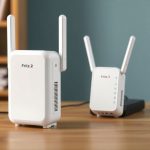
For homes where the WiFi signal doesn’t quite reach every corner, network extenders or repeaters can be invaluable. When choosing a repeater, ensure it matches the specifications of your router to avoid performance bottlenecks. Placing the repeater at an optimal midway point between the router and the weak signal area will amplify your coverage effectively.
Advanced Solutions for Larger Homes: Mesh Networks and Powerline Adapters
In more complex home layouts or larger spaces, setting up a mesh network can ensure consistent coverage, as these systems use multiple nodes to create a seamless network. Alternatively, Powerline adapters, which use your home’s electrical wiring to transmit data, can bridge longer distances that WiFi might struggle to cover effectively, though they are sensitive to the type of electrical noise generated by appliances and are not recommended for use with multi-outlet power strips.
A YouTuber bought a Bugatti on TEMU expecting luxury… but the unboxing went terribly wrong
Colonizing Mars is no longer a dream: Elon Musk unveils a historic deadline that will change everything
By understanding the nuances of your home network and the technology at your disposal, you can ensure a robust and reliable internet connection that keeps up with the demands of modern, connected living.
Similar Posts
- Experience Cutting-Edge AI Narration: Upgrade Your Listening with ElevenLabs!
- Boost Your WiFi Instantly: Fritz!Repeater 2700 Solves Connectivity Issues Fast!
- AVM Rolls Out Major Update for Fritzbox Routers: Enhance Your Internet Experience Now!
- Vodafone Shuts Down 2G Network Earlier Than Expected: What You Need to Know!
- Revolutionary AI Narration by ElevenLabs: Upgrade to Listen Now!

Ned Winslow is passionate about technological innovations. He writes about AI, cybersecurity, startups, and big tech companies. He makes technology understandable for everyone, with a critical eye on its impacts.